Photos of children online: what actually identifies a child
Blurring a child's face is the step most people take first, and it changes the least. Children are recognised from context — the jumper, the sign behind them, the name on the lunchbox, the account it was posted from — far more often than from a face. Here is what actually identifies a child in a photo, and what to do about it in the order that makes a difference.
Why the face is the smallest part of it
Covering a face defends against one person: a stranger holding the photograph and nothing else. Almost nobody is in that position. Anyone who can put a name to a child usually knows something already — the town, the school, the family, the club — and the rest of the frame fills in the gaps.
If you have already posted hundreds of photos, this is not a telling-off. Most family photos are seen by people who know the family and cause nothing at all. The point is only that effort spent on the list below goes further than effort spent on a blur.
What actually identifies a child
Uniform, logos and the school gate
A jumper with a crest narrows a child to one school. So does a book bag, a PE kit, a badge, a name board on a gate, or a distinctive building behind them. The NSPCC's advice on back-to-school photos is to check that nothing in the frame identifies the school, logos and signs included, and to watch for road names and the names of clubs a child attends.
Club kit, squad numbers and a town name
Team kit is often worse than school uniform: it carries a town or club name across the chest and a squad number on the back. Club, number and age group together frequently reach one child, and fixture lists and club accounts are usually public. Sponsor logos narrow the town as well.
The name is the fastest identifier of all
A first name plus a school is close to a full identification, and names turn up in more places than people expect: an iron-on label on a coat, a lunchbox lid, a coat peg, a classroom tray, a birthday banner, a certificate, a painting on the fridge. Then, most often, in the caption of the post itself. For a name printed on an object, a solid bar is the right tool, and the black out text tool is built for it.
Street signs, house numbers and the front door
A street sign, a house number on a door or a bin, a distinctive porch and the registration plate of the car on the drive all place a family at an address, and a doorstep photo often includes several at once. If a plate is in shot, cover it with the license plate tool.
Routine, posted repeatedly
One photo at the park is nothing. Forty over a year, at the same park, at the same time, on the same days, describe a routine — as do the walk to school and the Saturday training pitch. No single post is the problem; the series is, and no editing tool fixes that.
Location data inside the file
A phone photo can carry GPS coordinates, the date and time and the device model in its EXIF metadata, none of it visible in the picture. Our guide to what your phone photos reveal covers what is in there, and the metadata stripping tool removes it in your browser.
The caption, the hashtags and the account
A public account carrying the family surname undoes any amount of blurring. So do hashtags naming a school, a class or a team, and tagged relatives whose own accounts are public — a locked account is only as private as the least private person tagged in the post.
What to do, in order of effect
These are ordered deliberately. The first two matter more than the last two, and the last one is what most people do first.
- Check who can see the account. The largest single lever, and a minute's work. Set the account to private or restrict the audience per post, then review the follower list and remove anyone you do not recognise. Followers can still reshare, so this limits the audience rather than sealing it.
- Turn off location, then strip the file. Switch geotagging off in the camera and in the social app, and do not tag a place by hand. For files you send directly rather than post, strip the EXIF as well.
- Crop before you cover. If the school sign or the door number sits at the edge of the frame, crop it out. A crop removes the information; a cover only obscures it, and a black bar draws the eye to the thing you were playing down.
- Cover what is left, faces last. Names, logos, badges and plates first, because those are the identifiers. Then, if you still want to, cover the faces with the face blurring tool.
A checklist to run before you post
Look at the photo at full size, not at a thumbnail. Thumbnails hide almost everything on this list.
- Is there a school crest, logo or name on a jumper, bag, hat or PE kit?
- Is a school sign, gate, classroom door or recognisable building in the background?
- Is there club or team kit with a town name, a sponsor or a squad number?
- Is a name printed anywhere — label, lunchbox, peg, tray, banner, certificate, artwork?
- Is there a street sign, house number, distinctive front door or a car registration?
- Does the caption give a name, a school year, a class or a place?
- Do the hashtags name a school, a club or a town?
- Is a location tag attached to the post, and does the file still carry GPS?
- Are you tagging anyone whose account is public?
- Is this the fourth photo this month from the same place at the same time?
- Is the child old enough to be asked, and have you asked?
Older children, and asking
A child old enough to object is old enough to be asked. The NSPCC puts it simply: check that your child is happy with the image and with what you plan to do with it. Two things follow. A no has to stick, including for photos already posted, and taking one down costs nothing. And the answer can differ per photo: a child may be fine with the match report and not with the one from the bath at four. It is also worth thinking about the audience the child will have later, because a public post today is still there for classmates, and for anyone searching a name, years from now.
The sharenting question, without the lecture
Posting family photographs is ordinary, and for plenty of families it is how they stay in touch across distance. The useful question is not whether to post at all. It is narrower: what does this photo give away, and who exactly can see it? That one has a practical answer every time. "Never post anything" does not, and nobody follows it anyway.
Schools, nurseries and class accounts
Parents at a school event are in a different position from the school itself. The Information Commissioner's Office explains in its guidance on taking photos in schools that photos for personal use — the family album, or a private account seen by friends and family — fall outside data protection law, while posting to a public account visible to an indefinite number of people is likely to go beyond personal use. Schools also set their own photography policies for safeguarding reasons, separately from the law.
A class or club account run by the organisation is not personal use at all. If you run one, the legal side is on our page about GDPR and photographs. The habit is the same: cover the children whose parents opted out, cover names on pegs and displays in the background, and keep unedited originals off the shared drive.
Doing the editing without uploading the photo
Photographs of children are the last thing you want sitting on someone else's server, so this site works inside your browser. The image is opened by the page and never sent anywhere. Face detection uses Google's MediaPipe BlazeFace model, downloaded to your browser only after you choose a file; names, logos, plates and signs are covered by dragging a box by hand, because there is no automatic detection for those.
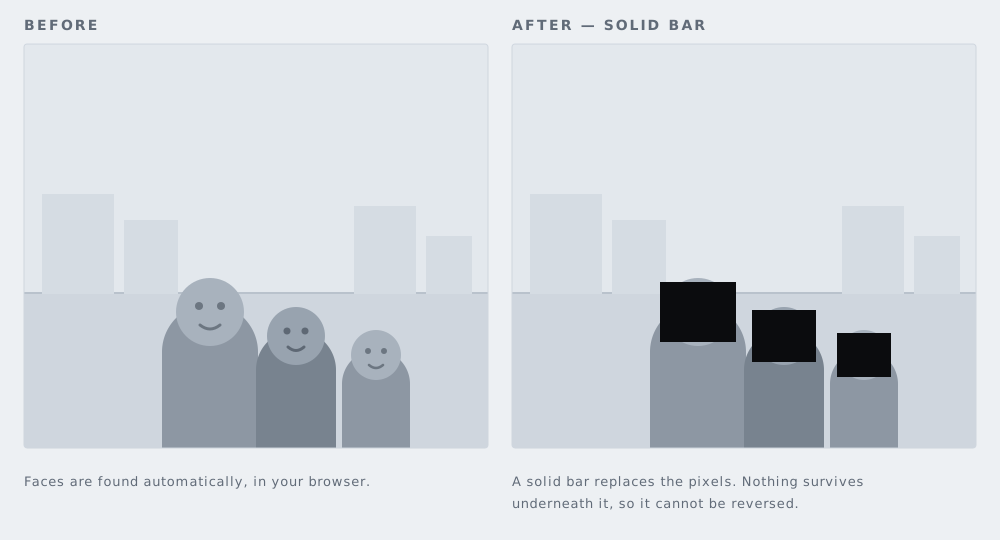
The default cover is a solid black bar, because a bar is irreversible — those pixels are replaced. Pixelation and blur are easier on the eye but can sometimes be partly reversed. Export is PNG at the original resolution or JPG, with no watermark and no sign-up, and re-encoding strips the EXIF including GPS on the way out.
Questions people actually ask
Does blurring a face stop a child being recognised?
On its own, often not. A cover removes the face from the exported file, but the uniform, the street sign, the name on the bag and the account it was posted from can still point at one child. Blur and pixelation can sometimes be partly reversed as well, which is why a solid bar is the safer cover.
Should I cover other people's children in a photo?
Ask their parent or carer first if you can. The NSPCC advises checking with other parents before taking a photo and before posting it, and respecting a no. If you cannot ask, crop the other children out or cover them.
Do I still need to strip metadata if I post to a social platform?
Most large platforms re-encode uploads, which drops EXIF from the copy other people can download. That does nothing for a file you email, send as a document in a messaging app, drop in a shared cloud folder or hand to a print shop. Those keep the original, GPS included.
Is it against the law to post a photo of someone else's child?
In the UK the Information Commissioner's Office says photos taken at a school event and posted to a private account seen only by friends and family are likely to count as personal use, which data protection law does not cover. A public account visible to an indefinite number of people is likely to go beyond it. That is general information, not legal advice.